
Struggling to access your JAMB profile? Whether you’re checking your admission status or printing your result, this step-by-step guide will show you how to login to JAMB portal using your registration number—even if you forgot your password. It’s fast, easy, and works for both mobile and desktop users!
Let’s dive into the easiest way to unlock your JAMB e-facility account, learn how you can login to JAMB portal using registration number.
What Is Your JAMB Registration Number?
Before anything else, you need to know what your JAMB registration number is. This 10-digit alphanumeric code is unique to every candidate and is generated after a successful UTME registration.
Where Can You Find It?
- On your JAMB registration or examination slip
- In your JAMB confirmation email
- Via SMS from 55019 or 66019 (if previously requested)
Tip: If you’ve lost your registration slip, visit any CBT centre or use your email inbox to search for “JAMB Registration Confirmation.”
Where to Access the JAMB Portal
To log in, always use the official JAMB e-facility portal:
Beware of fake sites or social media links that mimic the real portal. Always check the URL carefully.
Step-by-Step: How to Login to JAMB Portal Using Registration Number
You can log in using your registration number in two ways—directly with a password or via the “forgot password” option.
Option 1: Login With Registration Number & Password
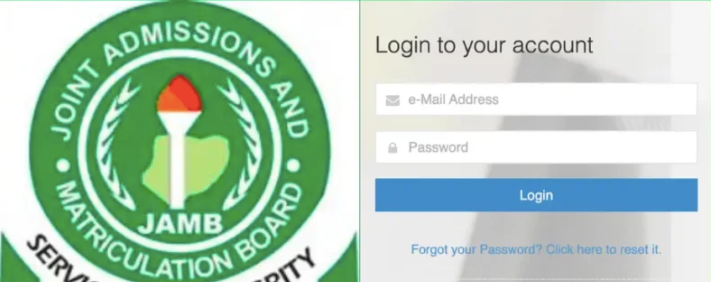
- Go to https://efacility.jamb.gov.ng
- Enter your JAMB registration number as your username or email
- Type in your password
- Click Login
You’ll be redirected to your dashboard where you can check results, admission status, and more.
Option 2: Forgot Password? Use Registration Number
If you can’t remember your password, here’s how to log in using only your registration number:
- On the login page, click “Forgot Password?”
- Enter your JAMB registration number
- You’ll receive a password reset link or OTP via email or SMS
- Follow the prompts to reset and log in
Pro Tip: Use the same phone number or email you registered JAMB with to receive OTPs quickly.
Tips for Mobile Users: Enable Desktop Mode
Logging in from a phone? Some parts of the portal, especially JAMB CAPS, might not display properly on mobile.
Here’s what to do:
- Use Google Chrome (not Opera Mini)
- Tap the browser menu (3 dots)
- Select “Desktop Site” to see the full layout
What Can You Do After Logging In?
Once you’re inside your dashboard, here’s what’s at your fingertips:
- Check admission status via JAMB CAPS
- Print original UTME result
- Reprint your examination slip
- Accept/reject admission
- Upload O’Level results
- Change course or institution
- Print admission letters
- Correct data (name, DOB, LGA, etc.)
Everything from admission status to NYSC mobilization depends on your portal activities. Don’t ignore it!
Common Issues & How to Fix Them
Even with the right steps, you might hit a few bumps. Here’s how to deal:
Invalid Registration Number
- Double-check your digits
- Ensure no typos or extra spaces
- Retrieve your reg. number via email or SMS if forgotten
OTP Not Received
- Confirm network strength
- Retry after a few minutes
- Use alternative method: contact JAMB support or visit CBT center
Page Not Loading / Expired Session
- Clear browser cache
- Switch browsers or use incognito mode
- Log in during off-peak hours (before 10 AM or after 8 PM)
Account Blocked or NIMC Issues
- Mismatch between NIN and JAMB data?
- Visit the JAMB office or contact them at support.jamb.gov.ng
Security Tips When Using JAMB Portal
Your registration number is as important as your ATM PIN. Keep it safe.
Here are 3 essential rules:
- Don’t share your login details with anyone
- Avoid logging in from untrusted cybercafés
- Always log out when done
Use a password manager like Bitwarden or LastPass to securely store your login credentials.
Conclusion
Now you know exactly how to login to JAMB portal using registration number, with or without your password. Whether you’re checking admission status or uploading your results, your JAMB e-facility is the one-stop shop for everything UTME-related.
Bookmark this page for future use, share with your friends, and don’t hesitate to revisit if you forget your login steps!
JAMB Portal Login FAQs
Can I log in to JAMB portal without email?
Yes, if you know your registration number and password, you can log in directly. However, email may be required for password recovery or accessing certain services.
What if I forgot both my password and email?
Visit a JAMB CBT centre with your ID. They’ll help reset your login details securely.
Is there a JAMB mobile app?
Not officially. Always use the web portal https://efacility.jamb.gov.ng to stay safe from phishing or malware.
Can I check my result using just my registration number?
Yes! Visit the JAMB result-checking page and input your registration number—no login needed.
Leave a Reply