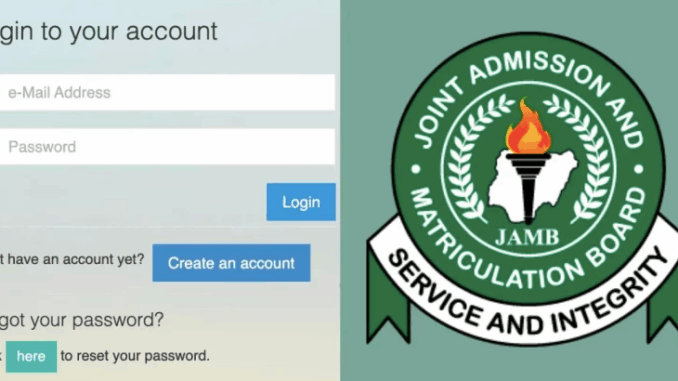
The JAMB Portal has become the nerve center for all UTME-related activities in Nigeria. Whether you’re checking your admission status, uploading results, or printing your exam slip, this is the digital HQ. In this guide, we walk you through everything you need to know about the JAMB Portal in 2025, including CAPS, result checking, JAMB registration, and more.
What is the JAMB Portal?
The JAMB Portal is the official platform provided by the Joint Admissions and Matriculation Board for candidates to perform all essential tasks related to UTME and Direct Entry.
Services available on the JAMB Portal:
- JAMB CAPS for admission status
- JAMB result checking
- JAMB e-facility for uploading results
- JAMB regularization
- Printing of exam slips
- Checking JAMB matriculation list
- JAMB profile management
How to Login to the JAMB Portal
JAMB Portal Login Steps
- Visit https://efacility.jamb.gov.ng
- Enter your registered email and password
- Click “Login”
You’ll be redirected to your dashboard where you can access CAPS, upload results, print admission letters, and more.
Login to JAMB Portal Using Registration Number
If you forgot your email or password, you can still access some features (like result checking) by visiting the result checker page and using your JAMB registration number.
JAMB Profile Login Guide
Your JAMB profile is where all your details—exam scores, application history, admission status—are stored. To access your profile:
- Login at efacility.jamb.gov.ng
- Use the same email and password used during registration
Troubleshooting Login Issues
- Forgot password? Click “Forgot Password” on the login page
- Wrong email/password? Double-check spelling or try recovery
- Portal not loading? Use a different browser or clear cache
JAMB CAPS Portal: Check Admission Status and More
What is JAMB CAPS?
CAPS stands for Central Admission Processing System. It’s the platform where you can:
- Monitor your admission status
- Accept or reject offers
- Track institution recommendations
JAMB CAPS Login with Registration Number
JAMB CAPS login typically requires your email. However, if you’re using a shared device or cyber café, you can log in through the e-facility portal and navigate to CAPS using your registration number once you’re in.
JAMB CAPS Admission Status
To check your admission:
- Login to JAMB Portal
- Click on “Check Admission Status”
- Select the year and enter your registration number
- Click on “Access my CAPS”
My JAMB CAPS: Accepting or Rejecting Admission
Once admitted, you’ll see an “Accept Admission” or “Reject Admission” button. Click accordingly. Note: Once rejected, you can’t reverse it!
JAMB CAPS Login Password Tips
- Always use a strong password: mix uppercase, lowercase, numbers
- Don’t share your password
- Use password managers if necessary
JAMB e-Facility Services You Should Know
Efacility JAMB Portal Features
The e-facility portal offers:
- Admission letter printing
- Change of course/institution
- WAEC/NECO result upload
- Regularization
- Matriculation list checking
How to Upload Result on JAMB Portal
- Visit an accredited CBT center (only authorized centers can upload)
- Provide your login details and O’Level result
- Ensure they update your profile and upload the correct documents
JAMB Regularization Portal Explained
The JAMB regularization is for:
- Students admitted without JAMB
- Those needing to validate admission years later
Steps:
- Login to e-facility
- Select “Late Application (Regularization)”
- Fill the form accurately
- Submit and wait for approval
JAMB Institution Matriculation List
To confirm if your name is on the matriculation list:
- Visit: https://www.jamb.gov.ng
- Click on “Matriculation List”
- Input your details
Being on the list is essential for NYSC eligibility.
How to Check JAMB Result 2025
Step-by-step: How to Check JAMB Result with Registration Number
- Go to https://efacility.jamb.gov.ng
- Click on “Check UTME Results”
- Enter your JAMB registration number
- Click “Check My Result”
Alternatives: SMS and Online Methods
SMS Method
- Text UTMERESULT to 55019 or 66019 using your registered SIM
- Wait for a reply (charges apply)
Common Issues with JAMB Results 2025
- “Jamb Result not available”: Usually due to incomplete biometric verification
- “No result yet”: May be due to technical delays
- Network errors: Retry after some time or use SMS option
JAMB Registration 2024/2025: All You Need to Know
How to Register for JAMB
- Create your JAMB profile online or via SMS
- Get a National Identification Number (NIN)
- Purchase your JAMB e-PIN
- Visit an accredited CBT center to complete registration
- Do biometric verification and capture
- Collect e-slip with exam details
Requirements:
- Valid email address
- NIN
- O’Level results
- Passport photo
- Personal details (DOB, LGA, etc.)
How to Check My JAMB Center and Exam Details
To check your center:
- Visit: https://slipsprinting.jamb.gov.ng
- Input your registration number
- Print the exam slip
Details include:
- Exam date and time
- CBT center name and address
Common JAMB Portal Problems and Solutions
- Login errors: Reset password, check email format
- CAPS not displaying: Use a desktop or switch browsers
- O’Level result not uploading: Visit only accredited CBT centers
- Regularization issues: Contact JAMB support if pending over 3 weeks
Final Thoughts
The JAMB Portal is your all-access pass to your academic future. From checking results and tracking admission to uploading documents and correcting details, it’s essential you get comfortable with it. Bookmark https://efacility.jamb.gov.ng and revisit this guide any time you need help!
Frequently Asked Questions about the JAMB Portal
Can I log in without email?
Not entirely. Some features like result checking may allow use of registration number, but most services require email access.
How do I reset my JAMB CAPS password?
Click on “Forgot Password” at the login page and follow the prompts.
Is it compulsory to upload WAEC result?
Yes. Without uploading your O’Level results, you won’t gain admission through CAPS.
Leave a Reply